Market Intel
Market Intel is what your prospects actually said, merged across every recorded call and ranked by how much of it there is. Not a summary of one call. The themes that keep coming up, which way each one is moving, and the evidence underneath so you can check it rather than take it on faith.
Where it comes from
Market Intel only exists for a workspace with a call recorder connected. If you do not see it in the sidebar, that is why, and Connecting a call recorder is the article you want. Nothing here is derived from emails or replies: this is the conversation layer specifically.
The four views
Market Intel is a group in the sidebar with four views. They are four different jobs, not four sections of one document.
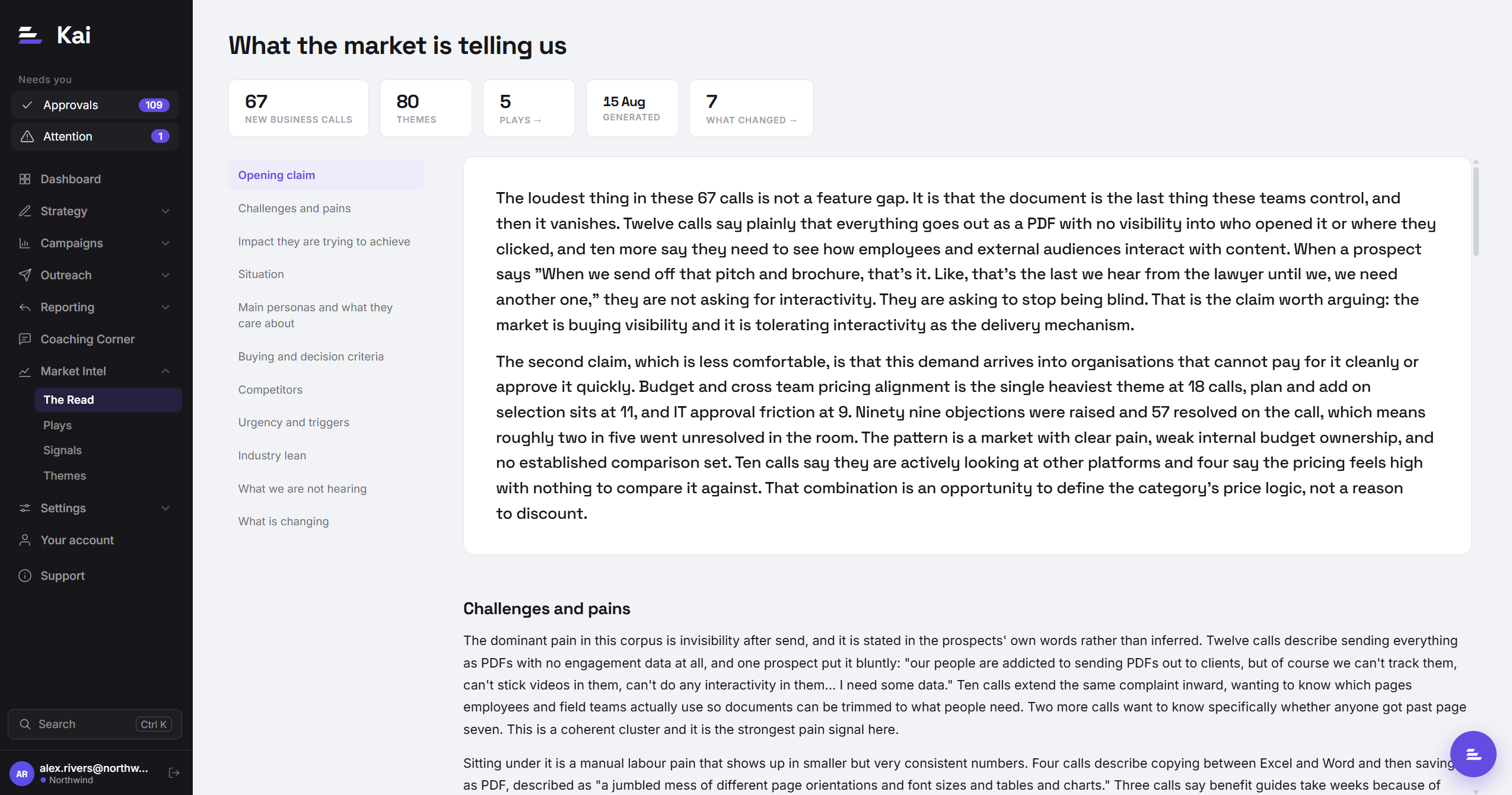
The Read
Kai's point of view on what it is hearing, written as prose. What buyers are worried about, what has changed since last quarter, where you are being compared to a competitor. Start here when the question is "what is going on in our market".
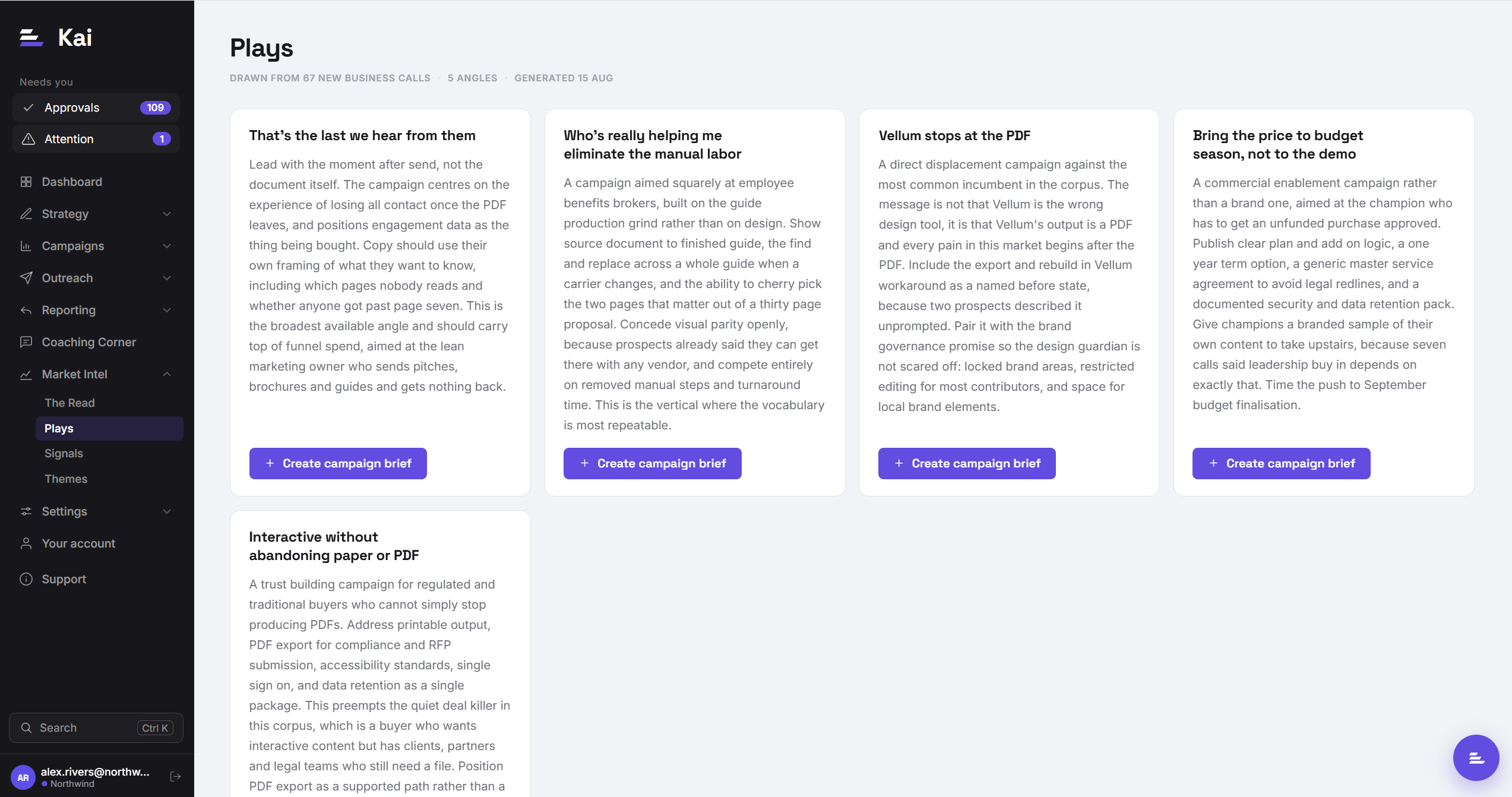
Plays
Campaign angles drawn from those themes, as recommendations you can act on. Each carries the persona it is written for, the objection it pre-empts, the competitor it displaces where relevant, and the actual quotes it rests on. Plays is a separate view rather than the last section of The Read on purpose: the one thing on the page you are meant to act on should not be three thousand words down.
Send a play straight into a campaign brief and Kai pre-fills the brief with the angle, the persona, the objection, the evidence, and up to six prospect quotes. You land in the brief form with the fields filled, and you edit from there. See Instructions & briefs for what happens next.
Signals
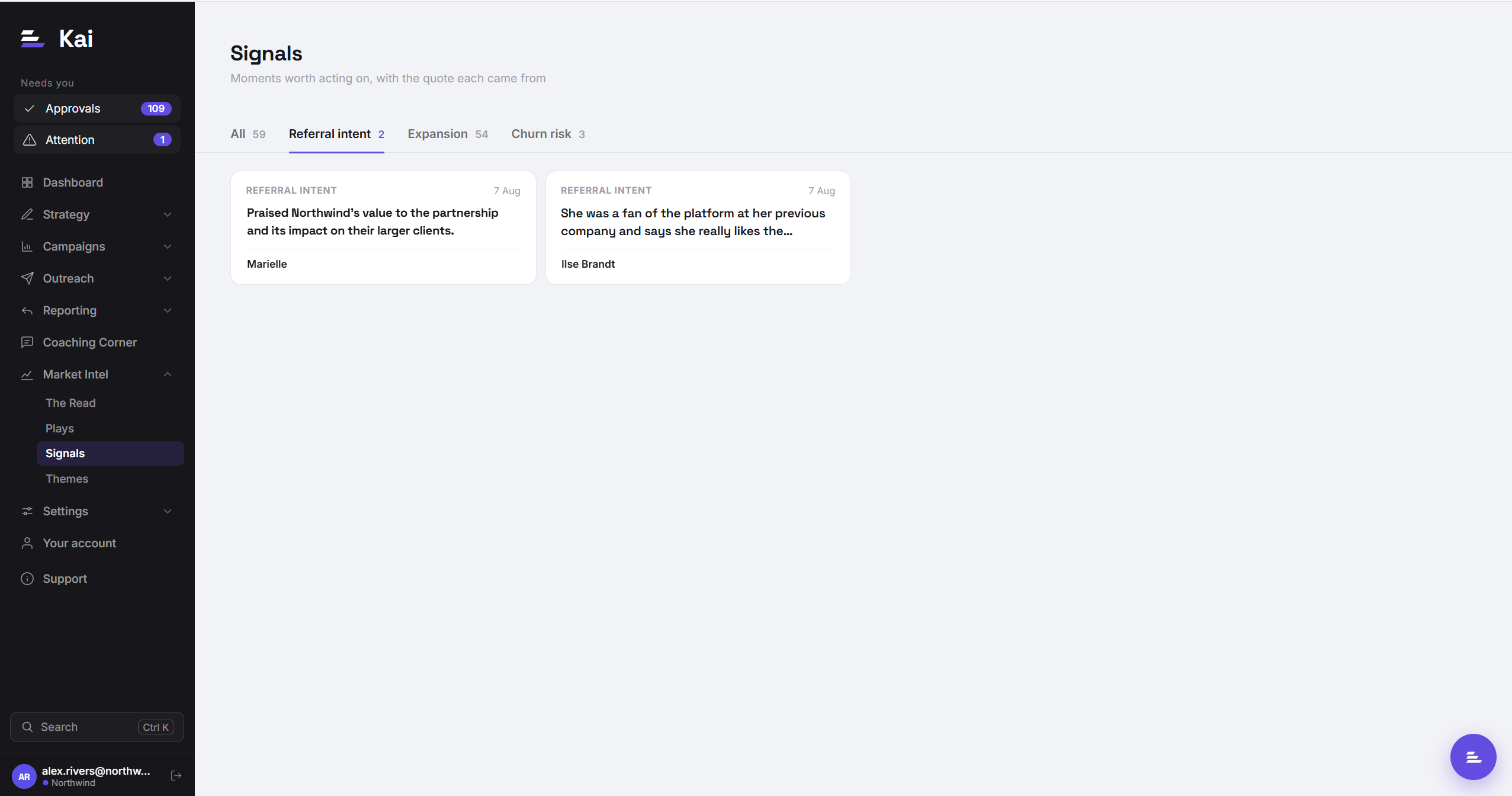
Moments in a call that are worth acting on for one account rather than for the market. Kai marks three kinds:
- Referral intent: somebody spoke well enough of you to be worth asking for an introduction.
- Expansion: they want more than what is on the table, whether that is another team, brand, tier, region or use case.
- Churn risk: something was said that puts an existing relationship at risk.
Signals are per account and time-sensitive, which is what separates them from themes. A theme is worth a campaign; a signal is worth an email this week.
Themes
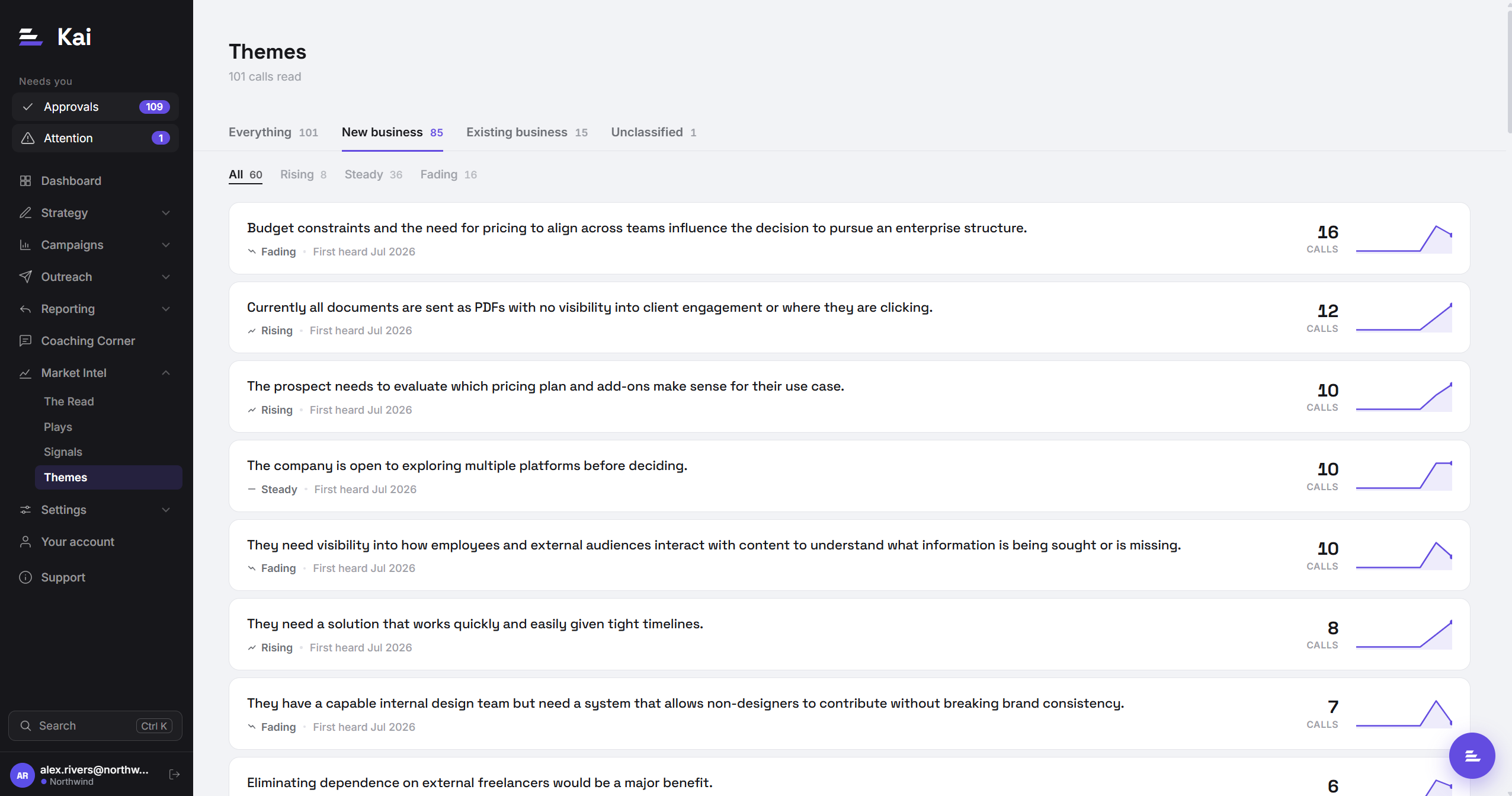
The evidence layer. Every theme ranked by weight, with a sparkline of the last seven months and the filters that have something behind them. This is where you go to check a claim or to answer a specific question.
Reading a theme
The theme list is a browsing surface, so there are no buttons on it. Every row is a door: click a theme to open it.
Trend
Each theme is labelled Rising, Steady, or Fading, comparing the recent half of its history against the earlier half. It is deliberately coarse. A percentage would imply a precision that counts in the low tens genuinely do not support, and the question you actually have is which way it is going.
One subtlety worth knowing: months before a theme first appeared are dropped from the comparison. Without that, a theme that started four months ago and has been perfectly level since would compare its flat recent half against an empty earlier half and read as Rising, showing momentum it does not have.
Breakdowns and filters
Themes can be filtered by industry and by persona title. Filters render only for dimensions that something actually fills, so the page never shows an empty dropdown.
Open a theme and you get the same split as breakdowns: which industries and which job titles are driving it. A theme that looks universal at the top level is often two different conversations once you split it by persona, and that distinction usually changes the campaign.
Evidence
Every theme carries the quotes behind it, capped at twenty per theme, each with a deep link back to the call in your recording platform. The cap is a storage decision, not a sampling one: the counts are computed over everything, and the quotes are a readable selection of it.
Use the links. The single fastest way to lose trust in a page like this is to repeat a theme in front of a customer and discover it rested on one throwaway remark. Two clicks tells you whether it is real.
What the page shows before it shows themes
There are four states, and they are deliberately distinct, because "nothing here" and "still working" are different problems and one empty state covering both is the most common way a page like this misleads people.
- No recorder. Nothing is connected. The nav item does not exist either.
- Syncing. Calls are arriving faster than they are being read. Progress is shown against the calls in your absorb window, not against everything you have ever recorded, so the number completes rather than climbing forever.
- Too few. Everything has been read, but there is not enough of it yet. Themes only start meaning something once a problem has recurred, and the floor is 30 calls read. Below that the page says so rather than showing two themes as though they were a market.
- Ready. The themes.
What to do with it
The point of the page is not to be read, it is to change something. In rough order of value:
- Pre-empt the objection that keeps rising. If a concern is Rising and you are handling it live on every call, it belongs in the sequence rather than in the call. That is a campaign brief change, and Plays will usually have written it for you.
- Take the language. The words prospects use for their own problem outperform the words your marketing uses for your product, reliably. Lift phrasing from the evidence quotes into your briefs.
- Split a campaign that is really two. When a theme breaks cleanly by persona, one campaign is arguing with itself. Two briefs will both do better.
- Notice the competitor you were not tracking. Competitor mentions surface here before they surface in win/loss, because they happen in conversation months before they happen in a deal review.
- Find your referral candidates. People speaking well of you on calls are visible here, and they are the cheapest pipeline you have.
Why it stays fast
Worth knowing because it affects how freely you can use it: nothing on this page reads a transcript or calls a model. Every number is a database query over pre-computed theme counts, and every drill-down is a query over the capped evidence table. The page costs the same whether your workspace has ingested 500 calls or 50,000, and filtering it repeatedly costs nothing. The expensive work happens once, when a call is first read, not every time somebody looks.